Record Page
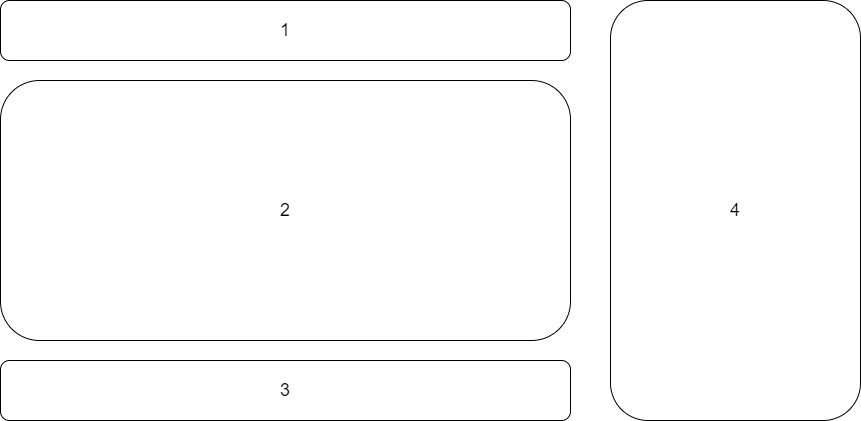
1.Title Bar

Single Tracking Id
show the record of this tracking id.
Delete Button
Delete Selected items
Refresh Button
Load all the data from database
2. Table

Index Column

- checkbox: toggle selection of each data
- check details button: load all the details to details panel.
Operation Type
Add,Delete,Revise,Resume
Date Time
User
Computer
Tracking Id Column

- check operation records button: load all related operations records of current tracking id.
3. Paging Bar

- Paging: whether paging(show by page) or one page with many many rows.
4. Details
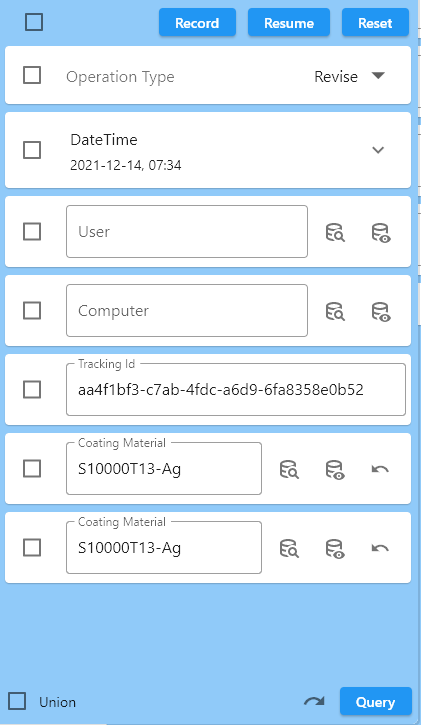
- Record: record the input information for reuse(Resume)
- Resume: resume the information from Record
- Reset: the input will be reset to default values
- Query: query the database with selected details. the left option(union) is for the result.